

Healthcare general practices are busy places where people arrive with different levels of stress, different health concerns, different language needs, and different expectations about how quickly they should be seen. In that environment, communication matters just as much as clinical workflow, because the patient experience begins before a person speaks to a receptionist or sees a doctor. Digital medical boards have become a practical way for general practices, specialist centres, dermatology clinics, and multi doctor medical centres to present important information clearly, keep patients informed, reduce repetitive questions at reception, and create a more organised first impression. Instead of relying only on printed posters, static wall signs, paper notices, and verbal instructions, practices can use digital screens to show doctors on duty, room locations, appointment guidance, health messages, wait room information, opening hours, service updates, and wayfinding directions in a format that is modern, flexible, and easy to update.
For a general practice, a digital medical board is not just a screen on a wall. It is a communication tool that can support reception staff, doctors, practice managers, and patients all at the same time. When used well, it can help a practice look more professional, guide patients through the building, promote services that people may not know about, and display information that would otherwise be repeated many times throughout the day. The idea is simple, but the impact can be significant, especially when the practice has multiple doctors, allied health providers, treatment rooms, pathology services, specialist consultants, or shared medical suites. The digital signage portfolio examples from MRS480 Specialist Centre, Fountain Street General Practice, Perth Dermatology Clinic, Fullerton Medical Centre Broadway, and Advanced Medical Practice show how digital medical boards can be adapted to different clinical environments while solving the same core problem, which is making patient communication easier, clearer, and more consistent.
Looking for a digital Medical Board for your general practice?
Contact us on 1300 880 005 or request a quote and we will help you with your next digital solution.
THE PRACTICAL REASON GENERAL PRACTICES MOVE FROM PRINTED NOTICES TO DIGITAL BOARDS
Most general practices already have a lot of information they need to communicate, but the traditional way of doing it is often messy. A notice about flu vaccines might be taped near the reception desk, a private billing update might be placed near the payment terminal, a doctor roster might be printed and placed on a wall, and a room directory might be displayed separately near a corridor. Over time, these printed notices can become outdated, damaged, crowded, or simply ignored by patients because there are too many pieces of paper competing for attention. Digital medical boards solve this by bringing key messages into one controlled, professional display that can be changed when the practice needs to update information, rather than waiting for someone to redesign, print, laminate, and physically replace paper signs.
This matters because the pace of healthcare administration changes quickly. A doctor may be running late, a clinic may be offering a seasonal vaccination program, a new skin check service may be available, a practice may need to remind patients about masks during a respiratory illness surge, or a reception team may need to direct people to use online booking for non urgent appointments. A digital medical board gives the practice manager a central place to publish these updates without making the reception area look cluttered. Patients can absorb the message while waiting, and staff can focus on more personal or urgent tasks rather than repeating the same general information to every person who walks in.
Another important reason is brand perception. A medical centre does not need to look like a luxury business, but it does need to feel clean, organised, trustworthy, and current. A well designed digital medical board supports that feeling because it gives the waiting room a modern visual anchor. It shows that the practice cares about communication and has thought about how patients move through the environment. For a new patient, especially someone visiting a clinic for the first time, this can reduce uncertainty and make the practice feel more professional. For an existing patient, it can make everyday visits smoother because the information they need is visible without needing to ask.
Digital boards are also useful because they can deliver the same message consistently. In a busy reception environment, different staff members may explain policies in slightly different ways, or they may not have time to explain every service the practice offers. A digital medical board can support the staff by displaying approved wording, clear service lists, and important reminders in a controlled format. This is particularly helpful for topics such as billing, appointment cancellations, telehealth eligibility, new patient forms, pathology locations, after hours care, and reminders to update Medicare details. When the information is presented visually and repeatedly, patients are more likely to notice it before they reach the desk.
WHAT THE CASE STUDIES SHOW ABOUT REAL MEDICAL BOARD USE
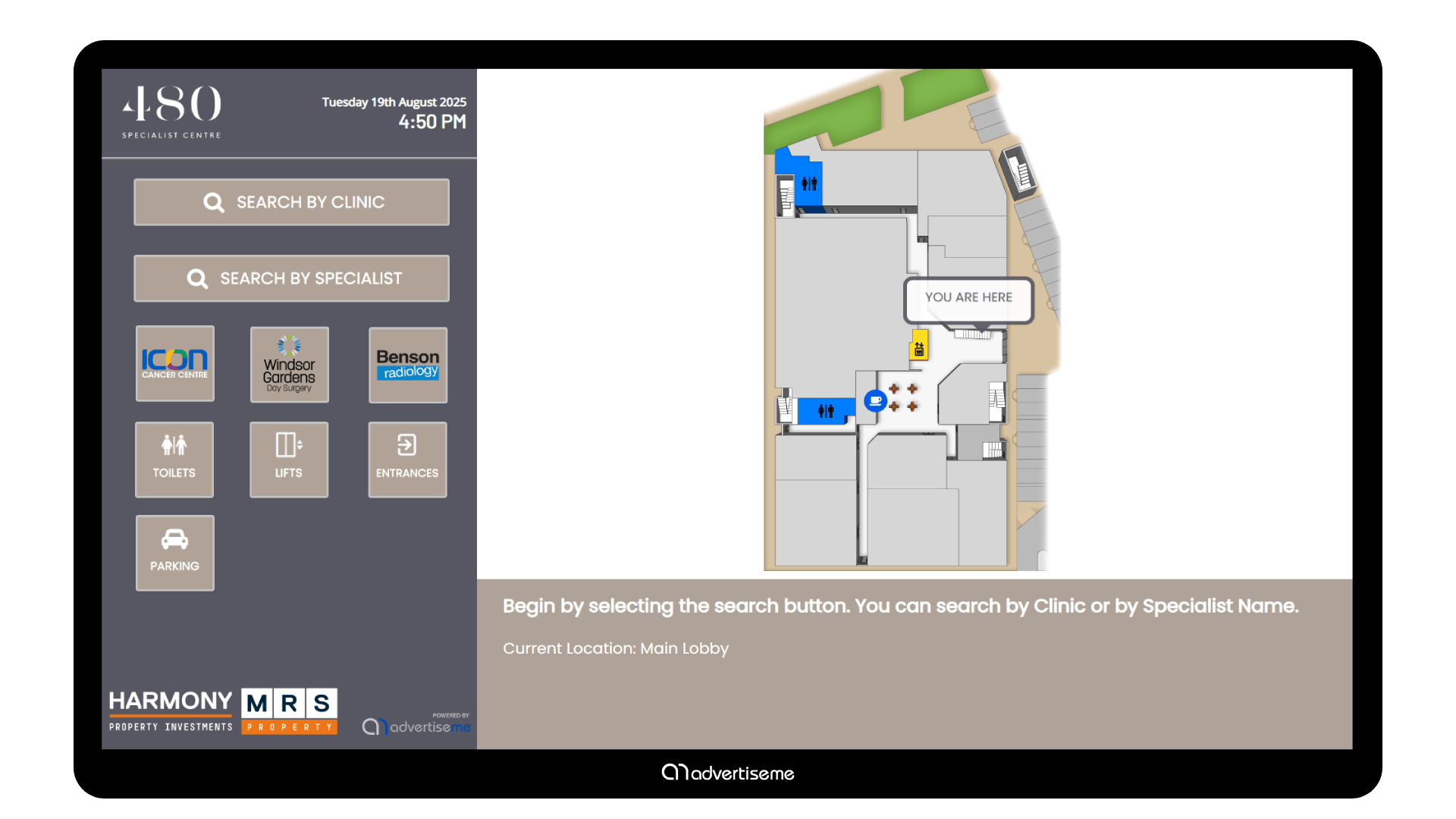
The MRS480 Specialist Centre and Medical Centre digital wayfinding project is a strong example of how digital boards can help when a medical environment has more than one destination. Specialist centres often have different doctors, suites, consulting rooms, treatment areas, and support services operating in the same building. Patients may arrive anxious, late, or unfamiliar with the layout, and they may need quick direction without having to wait in a queue just to ask where to go. A digital wayfinding medical board can act like a simple visual guide, showing which provider is located where, which direction patients should take, and how to move from the entrance to the correct area. In this kind of environment, the value is not only aesthetic. It can reduce confusion, reduce congestion around reception, and help keep appointments moving by getting patients to the right place faster.
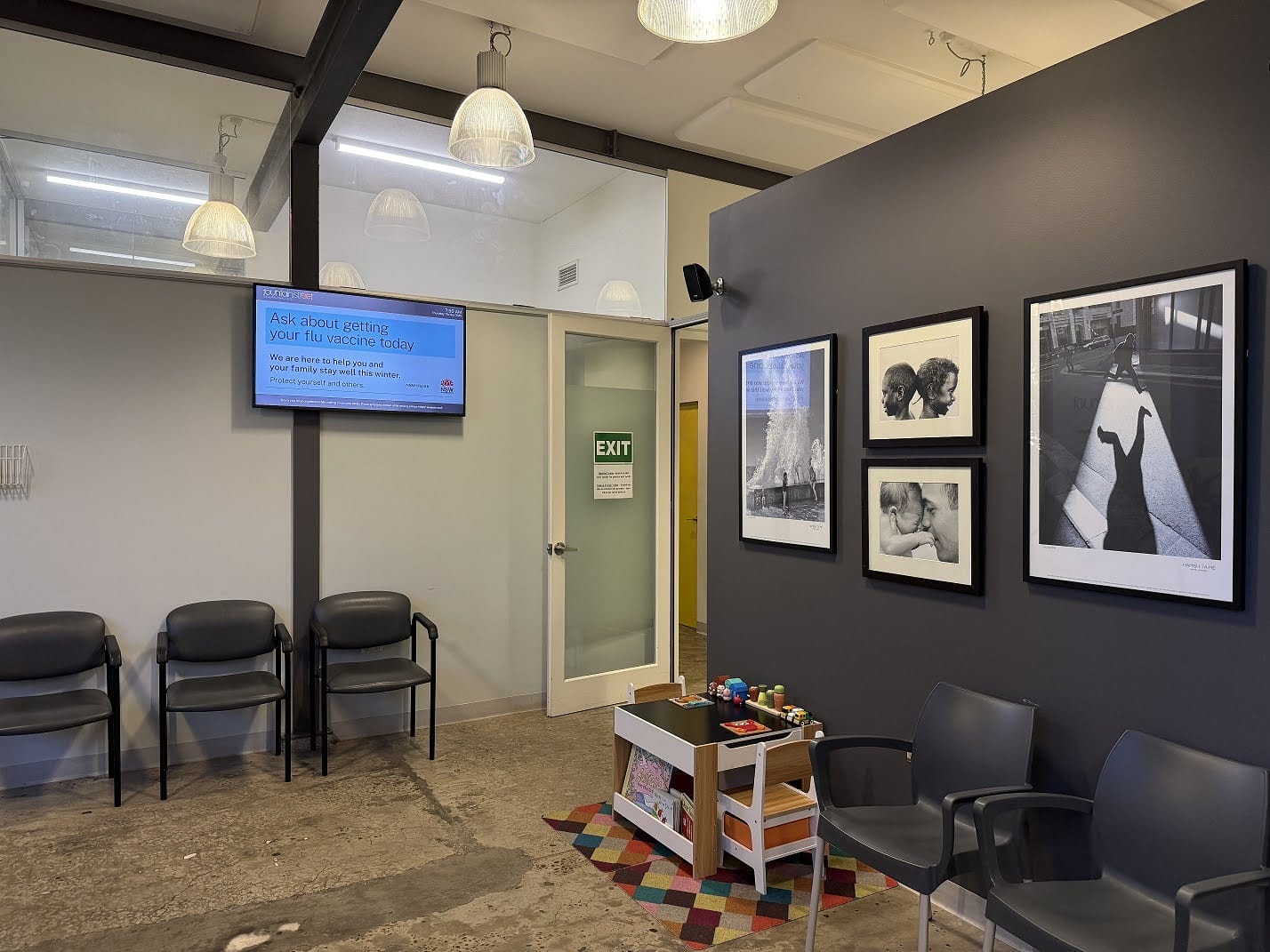
 The Fountain Street General Practice medical board example is closer to the everyday needs of a typical general practice. A GP clinic often needs to show practical information such as doctor names, practice announcements, health campaign notices, opening hours, and patient instructions. A digital medical board in this setting can become a central communication point for the waiting room, which is especially useful when the clinic has a mix of regular patients, new patients, families, older people, and people attending for urgent care. Instead of relying on a receptionist to explain every update, the board can present a clean set of rotating messages. This improves the waiting room experience because patients can learn about the practice while they wait, and it gives the clinic a simple way to keep communication active without adding more workload to staff.
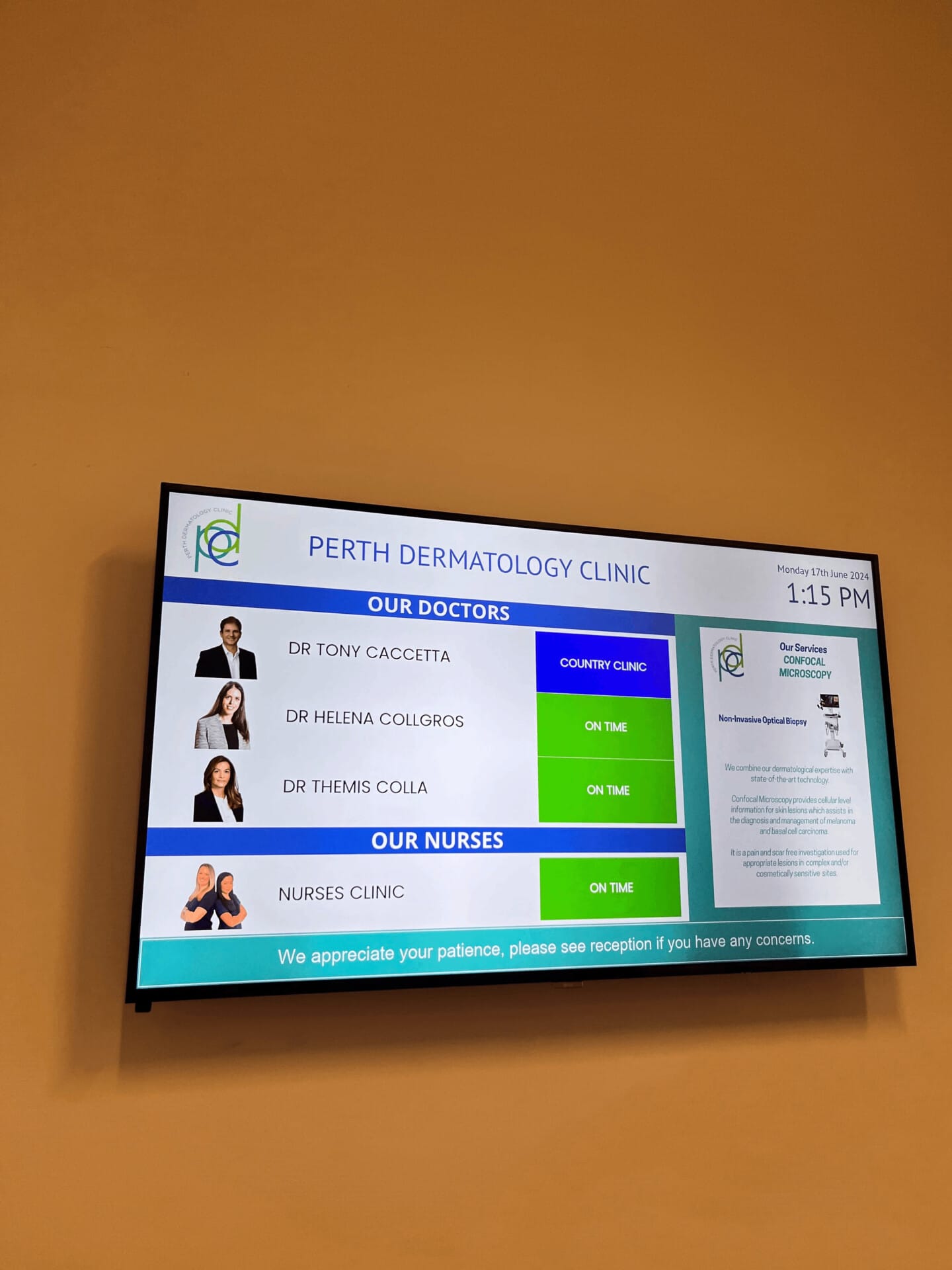
 The Perth Dermatology Clinic doctor medical board case study highlights a slightly different use. Specialist clinics often need to present doctor or practitioner information in a way that feels professional and reassuring. Dermatology patients may be attending for skin checks, procedures, acne management, mole mapping, cosmetic consultations, or medical conditions that require specialist care. A digital doctor board can show the doctors consulting at the clinic, their availability, and relevant clinic information while maintaining a polished look. In a specialist setting, trust is important, and a well presented board can support that trust by making the clinic feel organised and transparent. It can also be used to promote patient education, such as sun protection reminders, skin cancer awareness, post treatment care guidance, and reminders about follow up appointments.
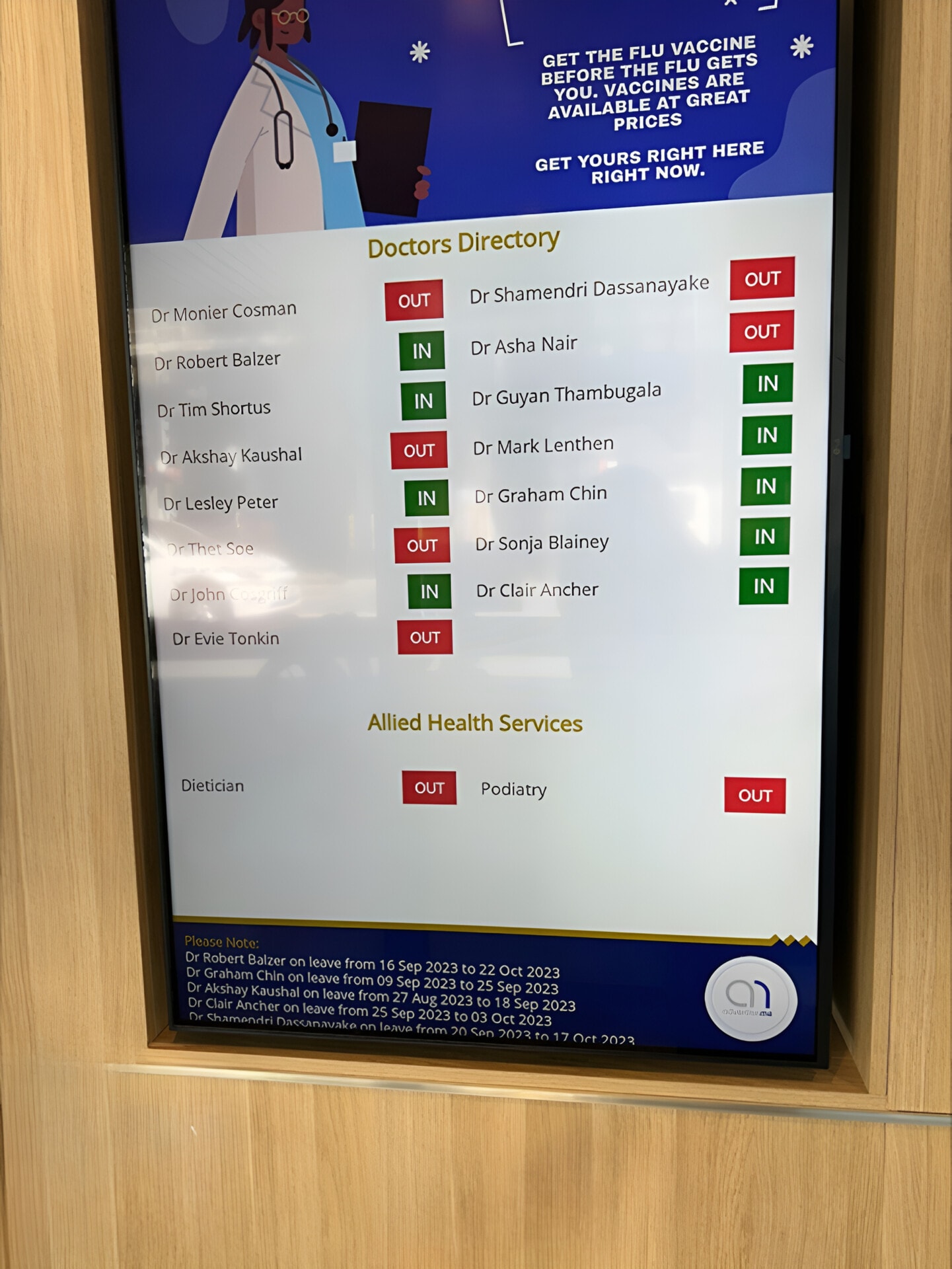
The Fullerton Medical Centre Broadway medical board case study is useful because larger medical centres often have high patient volume and more complex communication needs. When many doctors, nurses, allied health providers, and administrative staff operate in the same centre, the waiting area can become a bottleneck if patients do not know where to go or what to expect. A digital medical board can display a clear directory, service information, general announcements, and health messages in a consistent format. In a high traffic centre, the screen becomes part of the operational flow, not just a decoration. It can support reception by answering common questions before they are asked, and it can help patients understand the range of services available within the centre.
 The Advanced Medical Practice doctor medical board example shows how digital signage can be tailored for a practice that wants to present its doctors and services in a more professional way. Many patients choose a GP based on trust, convenience, and familiarity, so presenting doctor names, areas of interest, consulting information, and practice updates can make the clinic feel more approachable. For practices that have grown over time, a digital medical board can also help standardise the way information is displayed. Instead of adding more printed posters every time something changes, the practice can use a structured digital layout that keeps information neat and current.
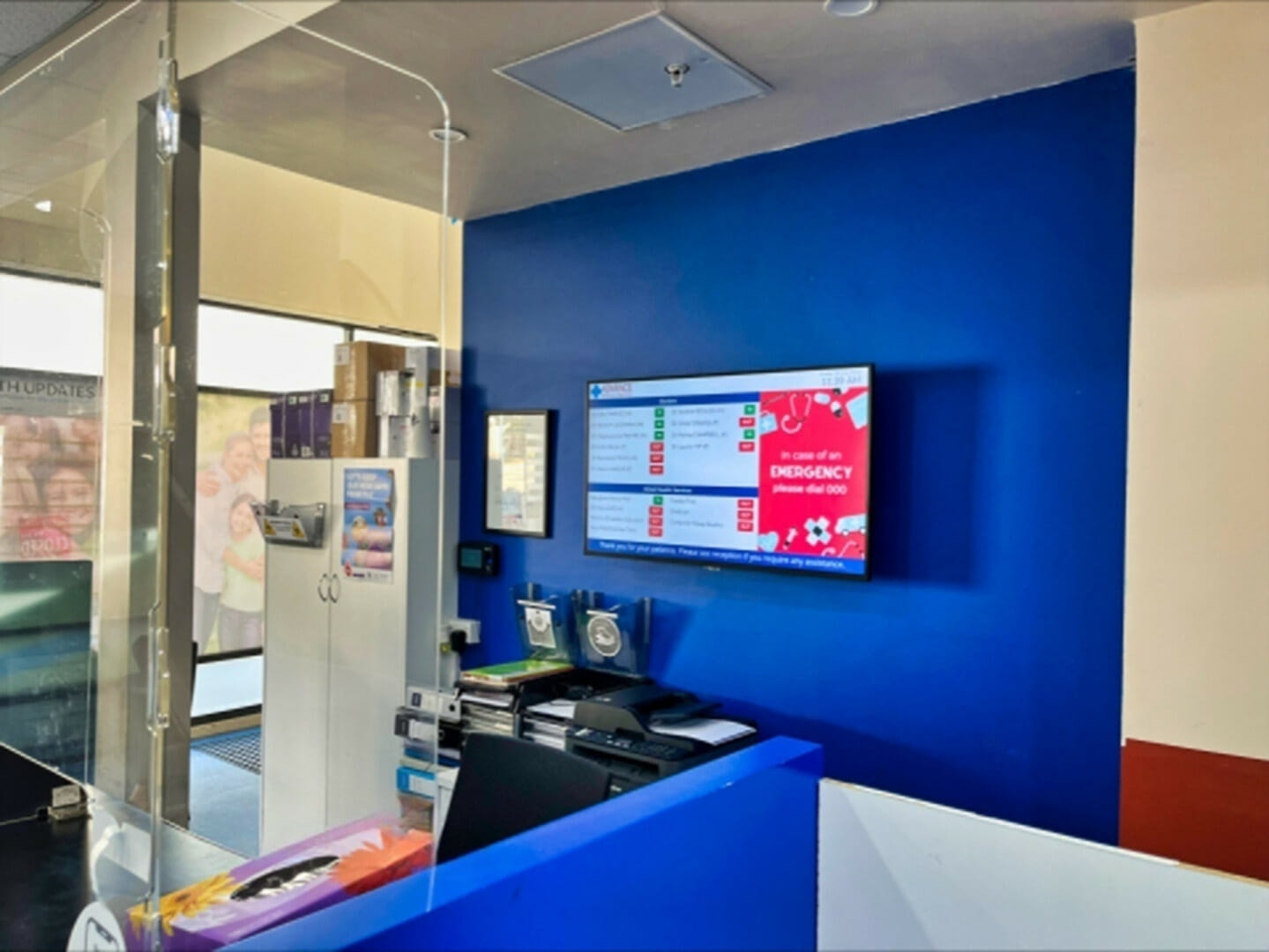 Across these case studies, the common theme is that digital medical boards are not one size fits all. A specialist centre may prioritise wayfinding, a general practice may focus on patient updates, a dermatology clinic may focus on doctor presentation and education, and a larger medical centre may need a combination of directory information, service promotion, and operational notices. The technology is flexible enough to support different goals, but the best results come when the content is planned around the patient journey. A screen should not be installed just because it looks modern. It should be placed where patients naturally look, designed with clear wording, and managed so the information remains useful.
HOW DIGITAL MEDICAL BOARDS IMPROVE PATIENT EXPERIENCE
Patient experience in a medical practice is shaped by many small moments. It starts when the patient arrives, looks for parking, enters the building, checks in, waits, finds the correct room, sees the doctor, pays, and leaves with instructions. A digital medical board can support several of these moments by reducing uncertainty. If a patient can see where to check in, which doctor is consulting, what services are available, and what reminders apply to their visit, the whole experience feels more predictable. This is especially valuable for patients who are unwell, older patients who may prefer clear visual cues, parents managing children in a waiting room, and people attending an unfamiliar medical centre.
One of the most practical benefits is reducing pressure on reception. Reception teams are often managing phone calls, arrivals, payments, appointment changes, urgent requests, incoming documents, and messages from doctors at the same time. If the waiting room screen answers common questions, it can reduce the number of interruptions. For example, a board can remind patients to have their Medicare card ready, advise them to update contact details, show that online bookings are available, explain that longer appointments are needed for certain concerns, or direct patients to a pathology collection area. These messages do not replace human service, but they do give staff more breathing room and help patients arrive at the desk more prepared.
Digital medical boards can also support health literacy. Many patients do not fully understand which services their general practice offers or when they should book particular types of appointments. A waiting room screen can explain that the practice offers care plans, immunisations, skin checks, women’s health appointments, men’s health checks, chronic disease management, travel medicine, mental health support, iron infusions, minor procedures, or nurse led clinics, depending on what the practice actually provides. This kind of information is valuable because patients may otherwise assume they need to go elsewhere. It can also encourage preventive care, which is important in general practice because many serious conditions are easier to manage when they are identified early.
Another patient experience benefit is reduced perceived waiting time. A screen will not make a doctor run on time, and it should never be used to distract from poor scheduling, but it can make the wait feel more useful. If patients are reading health tips, learning about available services, checking doctor information, or viewing clinic updates, the waiting room feels less static. The content needs to be calm and relevant, because a medical waiting room is not the right place for loud, overwhelming advertising. The best boards use clear layouts, readable text, slow transitions, and helpful messages. A practice can also show gentle reminders about hydration, sun safety, flu vaccination, blood pressure checks, or follow up care without making the environment feel commercial.
Accessibility is another important consideration. A digital medical board can be designed with large text, strong contrast, plain language, and clear icons so that information is easier to read from a distance. For Australian practices serving diverse communities, messages can also be displayed in more than one language if appropriate. Some clinics may use the board to remind patients that interpreter services are available or to provide simple instructions for check in. The key is to keep content concise enough to be read quickly, while still giving patients meaningful information. A screen full of tiny text is no better than a crowded noticeboard, so design discipline matters.
WHY PRACTICE MANAGERS VALUE CONTROL, SPEED, AND CONSISTENCY
From a practice management point of view, one of the strongest reasons to use digital medical boards is control. A practice manager can decide what information appears, when it appears, how it is presented, and when it needs to be removed. This is a major improvement over printed signage, where old notices may remain on walls for months because nobody has time to take them down. In healthcare, outdated information can create confusion and frustration. If a printed poster says a service is available but the clinic no longer offers it, patients may be disappointed. If a fee update is not displayed clearly, staff may face difficult conversations. Digital signage makes it easier to keep the public message aligned with current practice operations.
Speed is also valuable. During public health changes, seasonal campaigns, or sudden operational updates, a practice may need to communicate quickly. If a doctor is away, if the clinic has changed opening hours, if a lift is out of service, if parking access has changed, or if a vaccination clinic is fully booked, the board can be updated far faster than printed material. In larger practices with multiple locations, digital boards can also help keep messages consistent across different sites. The same approved announcement can be published to multiple screens, reducing the chance that one site is using old wording while another site has already updated the message.
Consistency supports professionalism. When every poster in a waiting room has a different font, colour, layout, and tone, the space can feel cluttered and reactive. A digital medical board allows the practice to use consistent branding, colours, and structure. For a practice that wants to appear modern and trustworthy, this matters. The board can use the practice logo, a restrained colour palette, clean typography, and a layout that matches the website or patient forms. This does not mean the screen needs to be flashy. In fact, the most effective medical boards are usually simple, with strong contrast, clear headings, and enough white space to make the information easy to read.
The case studies mentioned earlier reflect this need for practical control. MRS480 Specialist Centre needed a wayfinding approach, which means information must be accurate and easy to interpret. Fountain Street General Practice needed a medical board suited to general practice communication, where regular updates are part of daily operations. Perth Dermatology Clinic needed a doctor focused board that supports a specialist patient journey. Fullerton Medical Centre Broadway needed a board appropriate for a larger medical environment. Advanced Medical Practice needed a doctor medical board that could present the practice clearly. In each case, the value is not just the hardware. The value is the ability to manage information in a structured way.
There is also a marketing benefit, although it should be handled carefully in healthcare. A general practice is not the same as a retail shop, but it still needs patients to understand its services. If a clinic offers skin checks, health assessments, chronic disease management, vaccinations, minor procedures, or allied health services, patients may not know unless the practice tells them. A digital medical board can promote these services in an educational and helpful way, rather than a pushy way. For example, a message about skin checks can be framed around early detection and sun safety, while a message about care plans can explain support for people with ongoing health conditions. This style of communication feels appropriate because it helps patients make informed decisions.
WHAT GOOD DIGITAL MEDICAL BOARD CONTENT SHOULD INCLUDE
A good digital medical board needs the right mix of operational information, patient education, doctor presentation, service awareness, and wayfinding. If the screen only shows generic health facts, it may not feel connected to the practice. If it only shows internal announcements, patients may stop paying attention. The best approach is to build a content schedule that reflects the patient journey and the practice goals. For example, the first screen might show the practice name and a simple welcome message, the next screen might show doctors consulting today, the next might show how to prepare for an appointment, the next might show a health reminder, and the next might show a service that the practice wants patients to understand.
Doctor information is often one of the most useful content types. Patients like to know who is consulting, especially in a multi doctor centre where they may recognise some names but not others. A board can show doctor names, professional titles, areas of interest, languages spoken, and consulting days if the practice chooses to publish that information. The design should be clean and respectful, avoiding overcrowded profiles or too much detail. The purpose is to create familiarity and trust, not to overload the patient with biographies. In specialist environments such as dermatology, doctor presentation can also help reinforce the professional nature of the clinic and guide patients toward the correct provider.
Wayfinding content should be direct and visual. If a clinic has suites, levels, consulting rooms, nurse rooms, pathology, imaging, or allied health providers, the board should make movement through the building easier. Arrows, room numbers, floor names, and simple maps can be useful, but they must be designed for quick understanding. The MRS480 Specialist Centre example is relevant here because digital wayfinding becomes especially valuable when the physical space is more complex than a single reception desk and a few rooms. Patients do not want to decode complicated maps when they are worried about an appointment. They need plain information that helps them move confidently.
Health education content should be practical and seasonal. In Australia, general practices may want to show messages about flu vaccination, COVID 19 boosters, skin cancer awareness, heat safety, asthma management, diabetes checks, cervical screening, bowel screening, mental health care plans, heart health checks, and travel health. The content should be short enough to read from a waiting room chair, and it should encourage patients to speak with the doctor or nurse if the topic is relevant. It is also important that health information is accurate and reviewed by the practice, because patients may treat waiting room messages as medical guidance. General advice should be presented responsibly and should not replace individual medical advice.
Operational reminders can be very effective when they are written politely. A screen can remind patients to turn their phone to silent, advise them to tell reception if they have chest pain or severe symptoms, ask them to update personal details, explain cancellation policies, or remind them that emergencies should be directed to triple zero. It can also guide patients through digital processes such as online booking, electronic prescriptions, telehealth appointments, and secure messaging. The tone should be calm and helpful rather than strict. A medical board should make the visit smoother, not make patients feel like they are being lectured.

INSTALLATION, DESIGN, AND LONG TERM VALUE
Installing a digital medical board is not only about choosing a screen size. The practice needs to think about where patients stand, where they sit, what they need to know at each point, how bright the room is, how far away the screen will be viewed, and who will update the content. A screen near the reception desk may be best for announcements and check in information, while a screen near a lift or corridor may be better for wayfinding. In a large medical centre, more than one screen may be needed, with different content for different locations. A screen at the entrance might show a directory, while a waiting room screen might show doctors, services, and health education.
Design is critical because healthcare environments require clarity. The board should use large readable text, simple icons, strong contrast, and enough spacing between elements. Animations should be subtle, because fast moving graphics can feel distracting or uncomfortable in a waiting room. The content should be arranged in a way that patients can understand within a few seconds. This is where professional digital signage design can make a major difference. A well designed board looks calm and intentional, while a poorly designed board can look like a crowded slide presentation. The goal is to make the practice easier to navigate and understand.
Long term value comes from regular content management. A digital medical board should not be treated as a set and forget item. Someone in the practice should be responsible for reviewing messages, removing outdated items, updating doctor information, refreshing seasonal health content, and checking that the screen is working properly. This does not need to be complicated, but it does need to be part of the workflow. A simple monthly review can prevent old content from staying on screen. During busy periods, such as flu season, the board may need more frequent updates.
There are also financial considerations. A digital medical board has an initial cost for hardware, installation, design, and software, but it can reduce the ongoing burden of printing and replacing physical signs. More importantly, it can support practice efficiency and service awareness. If patients learn about services they need, book appropriate appointments, follow instructions more clearly, or ask fewer repetitive questions, the value goes beyond the screen itself. For larger centres, better wayfinding can also reduce late arrivals and frustration. For specialist clinics, a polished doctor board can support patient confidence. For general practices, the board becomes part of a more organised communication system.
Security and privacy must also be considered. Digital medical boards should not display private patient information unless the system is specifically designed for secure patient calling and complies with relevant privacy requirements. Many practices use boards for general information only, which is simpler and safer. If a practice wants to show appointment queues or patient names, it needs to carefully consider consent, privacy obligations, and whether an alternative such as first name and initial is appropriate. The safest approach for many clinics is to use the board for public information, doctor details, service education, and wayfinding, while keeping individual patient details within secure clinical systems.
Another long term advantage is adaptability. As a practice grows, adds services, changes doctors, renovates rooms, or opens new locations, the digital board can evolve. Printed signs often become obsolete when a clinic changes layout or branding, while digital content can be redesigned and republished. This is particularly useful for medical centres that share space with specialists, pathology, allied health, or imaging providers. The screen can reflect current tenants and services without needing a complete signage replacement every time something changes.
WHAT THIS MEANS FOR A MODERN PRACTICE
Digital medical boards are used by healthcare general practices because they solve everyday communication problems in a clean, modern, and practical way. The case studies from MRS480 Specialist Centre, Fountain Street General Practice, Perth Dermatology Clinic, Fullerton Medical Centre Broadway, and Advanced Medical Practice show that the same idea can support different healthcare settings, from wayfinding in a specialist centre to doctor presentation in a dermatology clinic and patient communication in a busy GP practice. When the board is well placed, well designed, and kept up to date, it becomes more than a screen. It becomes part of the patient journey, helping people feel informed, reducing pressure on staff, supporting service awareness, and making the practice feel more organised from the moment someone walks through the door.
Looking for a digital Medical Board for your general practice?
Contact us on 1300 880 005 or request a quote and we will help you with your next digital solution.


