
Powerful Cloud-Based CMS for Dynamic Screen Content
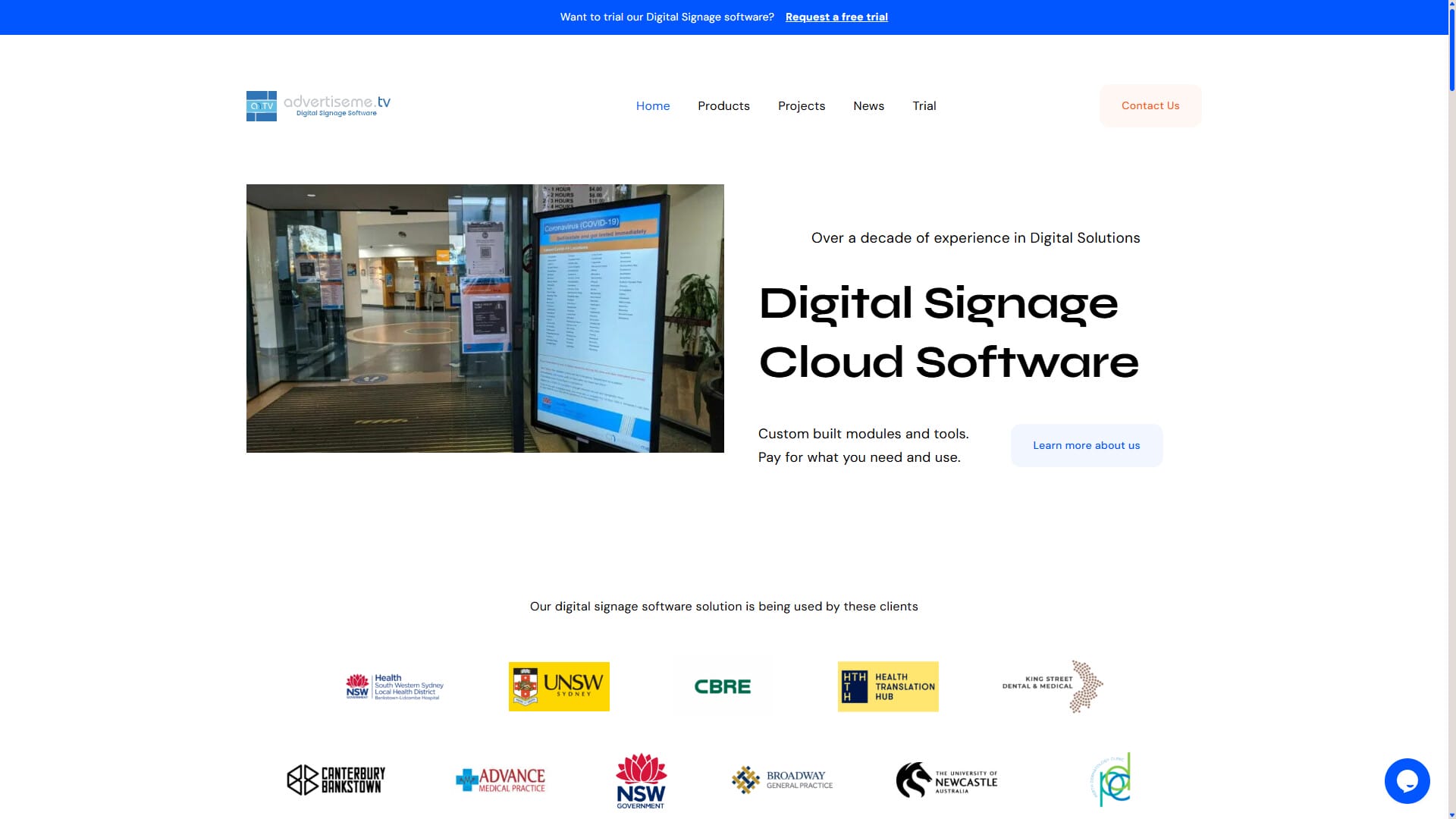
AdvertiseMe.TV is our proprietary digital signage software designed for Australian businesses, organisations, and institutions who want smart, flexible, and easy content management for their screens. Whether you’re displaying ads, announcements, wayfinding, timetables, or interactive information, our software makes it easy to manage, schedule, and publish your digital content in minutes.
What Is Digital Signage Software?
Digital signage software (also called a content management system — CMS) is the backbone of any digital signage network. It lets you:
Upload and organise content including images, video, dynamic layouts, and text.
Schedule displays by specific date ranges, times of day, or locations.
Control one screen or hundreds of displays from a central web browser dashboard.
Group displays by department, store location, or purpose for tailored messaging.
Add real-time data feeds, automated updates, or dynamic weather/news widgets.
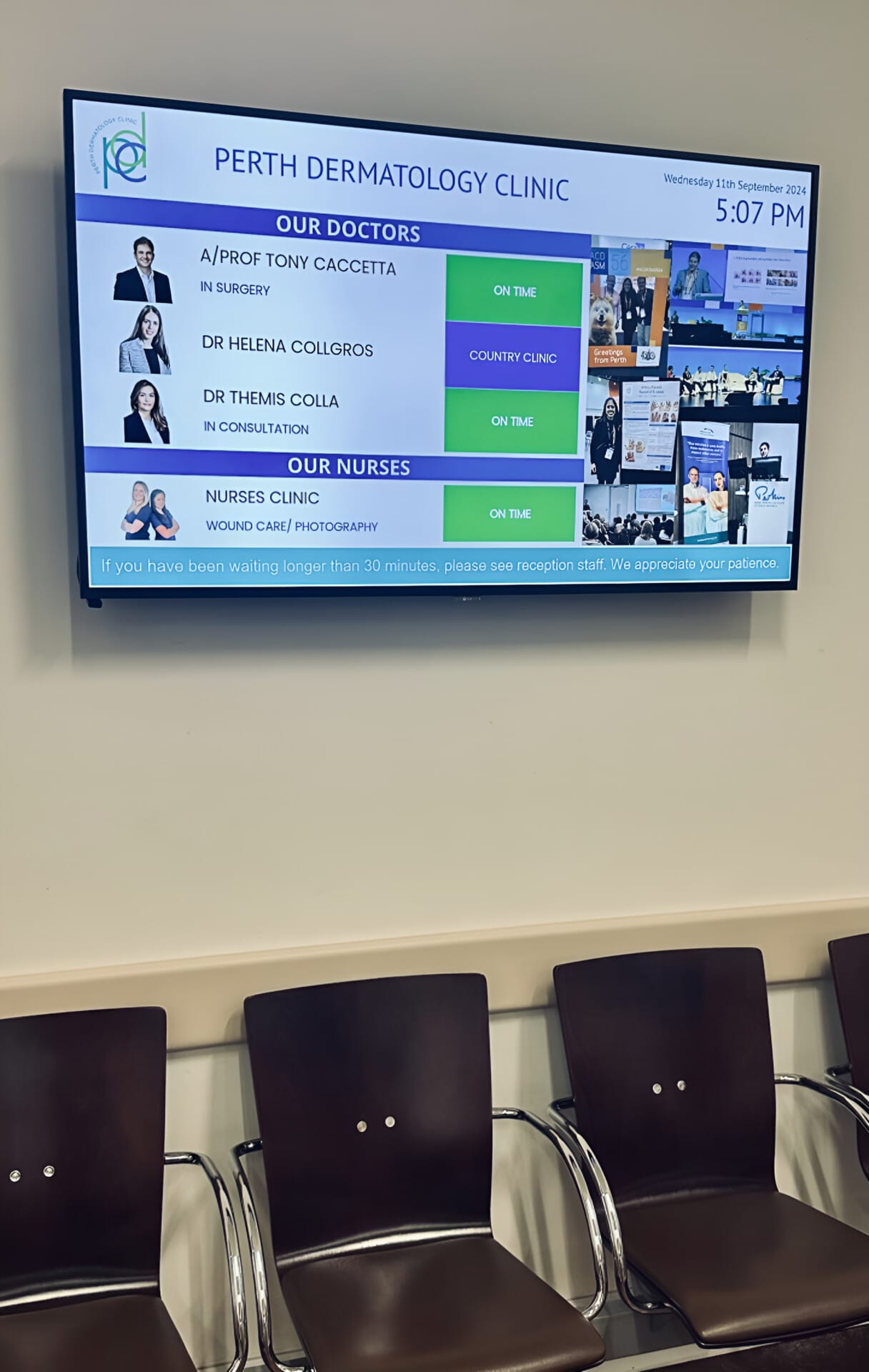
Easily update, manage, and instantly display clinic, staff, or department directory boards.
Key Features & Capabilities
Cloud-Based Platform — Easy from Anywhere
Because AdvertiseMe.TV is cloud based, you don’t need specialised local servers or complex IT installations. Manage your screens from any browser, on any device or network, and publish changes instantly across your entire screen network.
Custom Modules for Industry Use Cases
AdvertiseMe.TV isn’t “one-size-fits-all” — it includes purpose-built modules that expand functionality for specific industries and goals:
Staff Roster Module
Display employee rosters and presence on digital boards (great for hospitals, medical practices, gyms, and warehouses).
Car Park Booking
Let customers or staff book spaces easily and display real-time parking availability dynamically on digital screen boards.
News & Events
Show live RSS feeds, company news, local event updates, and urgent announcements instantly on displays or kiosks.
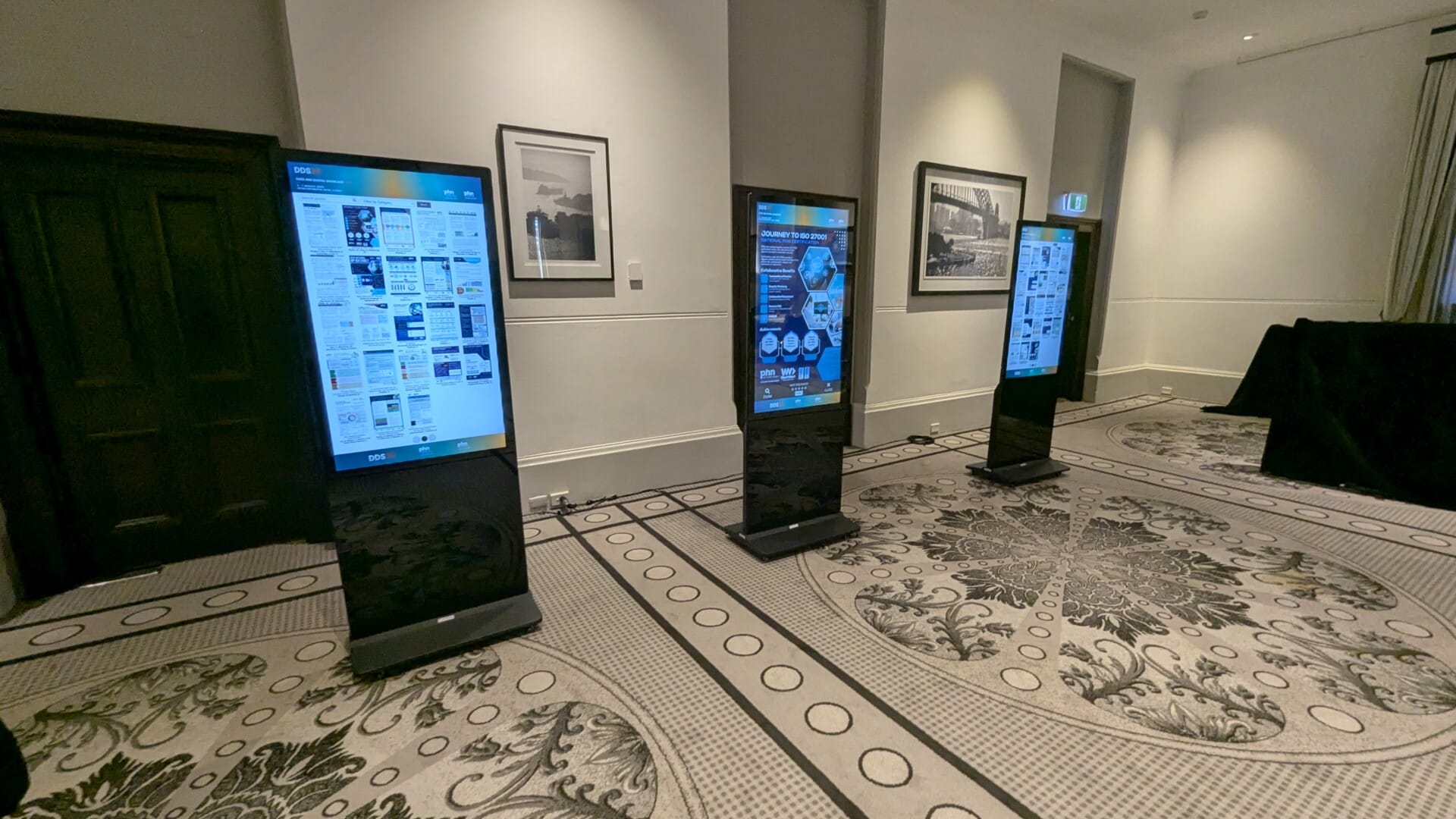
Interactive ePosters
Dynamic, interactive poster presentation software for medical events, research conferences, universities, and exhibitions.
More custom modules can be developed on demand to suit unique workflow or industry needs.
Why Choose AdvertiseMe.TV?
Simplicity & Speed
Unlike complex legacy software that requires steep learning curves, AdvertiseMe.TV was designed with user-friendly simplicity in mind. Most users can upload campaigns and schedule media within minutes.
Wide Compatibility
Works seamlessly with all commercial displays, standard Android or PC-based media players, touchscreens, and interactive kiosks. It runs in browser-based players for easy setup.
Enterprise Scaling
Whether you are running a single screen in a local store or hundreds of displays across multi-campus clinics and universities, AdvertiseMe.TV scales with you effortlessly.
Industries That Benefit Most
AdvertiseMe.TV is a flexible tool used across many sectors:
Digital menu boards, interactive kiosk promotions, and display posters.
Real-time patient directories, roster boards, wait time alerts, and patient info.
Campus announcements, timetable boards, maps, and event schedules.
Internal communications, dashboard metrics, safety alerts, and visitor welcome screens.
Conference schedules, sponsor ads, digital signage directories, and dynamic maps.
Boost Engagement & Efficiency
With digital signage software like AdvertiseMe.TV, your organisation benefits from:
Deploy announcements and media changes instantly to any display.
Complete remote control over your entire network of displays from one tab.
Massively reduce printing costs and waste by going 100% digital.
Catch client attention with dynamic videos and interactive screen designs.
Brilliant, backlit screens ensure your promotional content is always noticed.
Get Started with AdvertiseMe.TV
Ready to modernise your digital signage? Request a free trial of our cloud-based digital signage software today and discover how easy it is to manage powerful screen networks from a browser.
Our Recent Projects

Interactive Solutions – UNSW Medicine and Health South West Sydney – Microsoft 365 Room Booking & Digital Displays
Smart digital integration with Microsoft O365 calendar Video Wall Solution Interactive Solution Education, University Liverpool Hospital, Sydney - New South Wales Australia…
View Project
ePosters – International Dementia Conference 2026
Displaying dynamic and interactive scientific posters at the IDC 2026 Interactive Digital Signage Solutions ePosters Interactive Digital Posters, Digital Posters Healthcare Years:…
View Project
Digital Signage – Fountain Street General Practice Medical Board
Keep patients up to date with Dermatology Doctor Medical Boards Digital Signage Fountain Street General Practice Medical Board Solution Digital Signage -…
View Project
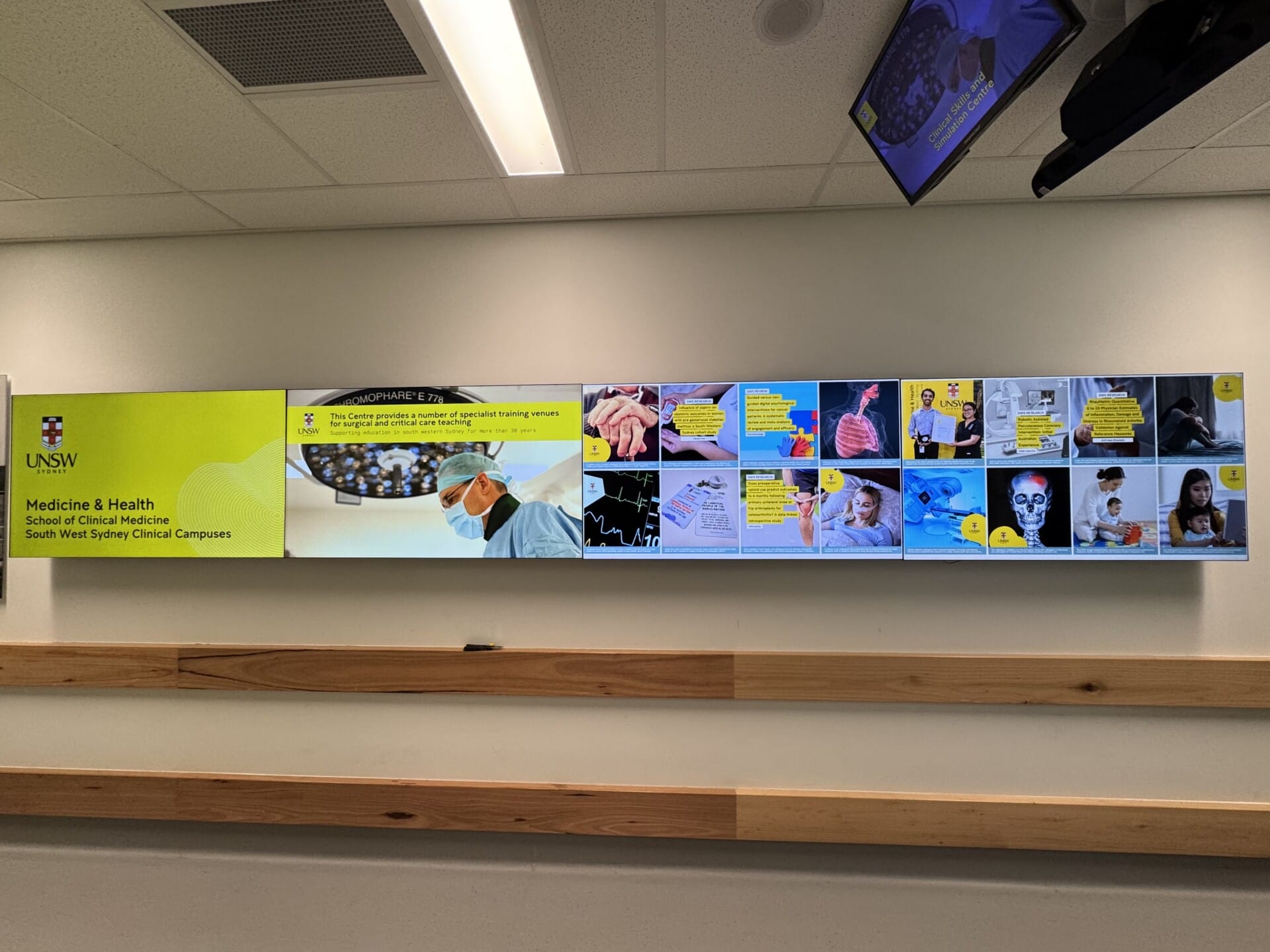
Video Wall – UNSW Medicine & Health South West Sydney Main Video Wall Upgrade – 0.44mm Even Bezel
Using a Video Wall to inform and educate Video Wall Solution Video Wall Education, University Liverpool Hospital, Sydney - New South Wales…
View Project
ePosters – UNSW Health Beyond Research & Innovation Showcase 2025
Displaying dynamic and interactive scientific posters Interactive Digital Signage Solutions ePosters Interactive Digital Posters, Digital Posters Education, University Years: 2025 Campbelltown Catholic…
View Project
Directory Board – Health Translation Hub (HTH)
Guiding visitors made simple with smart Directory Boards Directory Board for Health Translation Hub Digital Signage - Directory Boards Healthcare, Education Sydney…
View ProjectHow digital signage software supports everyday screen management
Digital signage software is the operational layer behind a screen network. It gives an authorised user a place to upload content, organise media, create playlists, group displays and publish updates. Without a content management system, teams may need to copy files manually to individual players or rely on printed material every time information changes. AdvertiseMe.TV is designed to make the publishing workflow more centralised and easier to repeat.
The right workflow starts with the organisation’s content responsibilities. Decide who can upload material, who approves a public message and who checks that a scheduled campaign has finished. Give each screen a meaningful name and group it by location or purpose. These simple decisions become increasingly important when one screen grows into a network across departments, stores, campuses, clinics or event spaces.
Manage content for different screen groups
Not every screen needs the same message. A group may represent a building, floor, department, store location or event area. AdvertiseMe.TV can be configured to publish content to the relevant screen or group, allowing a team to communicate broadly while still targeting information where it is useful. The group structure should reflect how your organisation is managed so staff can understand it without specialist technical knowledge.
Schedule content by time and date
Scheduling helps manage promotions, events, announcements, rosters and temporary notices. A message can be prepared ahead of time and assigned to a defined period, reducing the risk that old information remains visible. The appropriate schedule depends on the content and the operating hours of the location. Directories, room information and other operational data should be reviewed when their source information changes.
Design for the actual screen
Digital signage software can publish images, videos, text and layouts, but the content still needs to be designed for the audience. Check the aspect ratio, text size, contrast, movement, video length and whether the message can be understood without sound. A lobby screen viewed from a distance needs a different layout from an interactive kiosk. Advertise Me can discuss content structure and screen requirements alongside the software configuration.
Digital signage software modules and related solutions
AdvertiseMe.TV can be used as a general digital signage CMS or as part of a more specialised solution. Advertise Me offers modules for news and events, staff rosters, car park information, bed management, smart room and event boards, surveys, ePosters and directory boards. A healthcare organisation may use structured directory or staff information, while an education or event team may need digital posters and schedules.
Other Advertise Me services can work alongside the digital signage software. Digital Wayfinding can help people navigate a building or campus. Social Wall can display selected and moderated social media content. Video Wall can present a large coordinated display. Custom integrations can connect a screen or kiosk with an approved database, scheduling system, web service or business dashboard. Each connection depends on the source system and the project requirements.
Digital signage CMS for healthcare, education, retail and events
Healthcare organisations can use digital signage software for welcome content, directories, health information, staff displays, events and other approved communication. Education providers can publish campus news, event information, room details and research communications. Retail and hospitality teams can update promotions, menus and product messages. Corporate offices and event venues can manage welcome screens, room information, sponsor content and announcements.
The CMS should support the way the organisation works. If different teams publish content, establish clear permissions and approval steps. If a display shows information from another system, confirm which system is the source of truth. If a screen is used by visitors, test the content at the real viewing distance and check that important instructions are easy to understand.
Implementing digital signage software
Advertise Me can discuss the complete software environment, including screen locations, media players, network access, content formats, user roles, screen groupings and training. If you already have displays, the team can review the equipment and current workflow before you decide whether to migrate, upgrade or add another screen group. A project plan can also cover deployment, testing, documentation and support.
Before requesting a digital signage software quote, prepare the number and size of screens, the locations, the type of content, the update frequency, the people who will manage it and any modules you may need. A floor plan and examples of current content are useful when discussing the right setup.
Digital signage software FAQs
What is a digital signage CMS?
A digital signage CMS is software used to upload, organise, schedule and publish content to connected displays. AdvertiseMe.TV is Advertise Me’s cloud-based digital signage CMS.
Can I manage multiple screens from one place?
Yes. Configured screens can be grouped by location or purpose and managed through the central software dashboard. The structure depends on the project.
Can digital signage software show live information?
Advertise Me can discuss live feeds and purpose-built modules such as news, events, directories, rosters and other approved data. The available connection depends on the source and configuration.
Can the software be used with touchscreens?
AdvertiseMe.TV can form part of interactive projects involving digital wayfinding, surveys, ePosters, directories and kiosks. The interaction and hardware are scoped for the intended experience.
Where is AdvertiseMe.TV available?
Advertise Me is based in Sydney, NSW and provides digital signage software and related services for Australian organisations. Contact the team to discuss your network.
Digital signage CMS content governance
A digital signage CMS works best when the organisation agrees how content moves from an idea to a published message. Create a small set of approved templates for announcements, promotions, events and information. Assign an owner to each content type and include an expiry date for temporary material. This reduces the chance that an old event, promotion or notice remains on screen after it has stopped being useful.
It is also important to check the difference between content that is managed manually and information that comes from an external source. A directory, roster or timetable may need to be reviewed against another system. A branded campaign may need approval from a marketing or communications team. AdvertiseMe.TV can support the publishing workflow, while the organisation remains responsible for approving the information it displays.
What to check before publishing
Review the image dimensions, text size, contrast, spelling, date range, destination screen group and whether the message can be understood without sound. Test interactive content on the touchscreen it will use. A short review checklist helps different staff members publish consistently and gives the support team useful information if a display needs attention.
Ready to Start Your Digital Project?
Get in touch with our team for practical advice and a quote tailored to your space. We deliver Digital Signage, Digital Wayfinding, Video Walls, Social Walls, ePosters, Information Kiosks, Directory Boards, and custom interactive software.
Direct Line
1300 880 005
Email Sales
info@advertiseme.com.au
Request a Quote
Submit your project specs and our team will get back to you promptly.