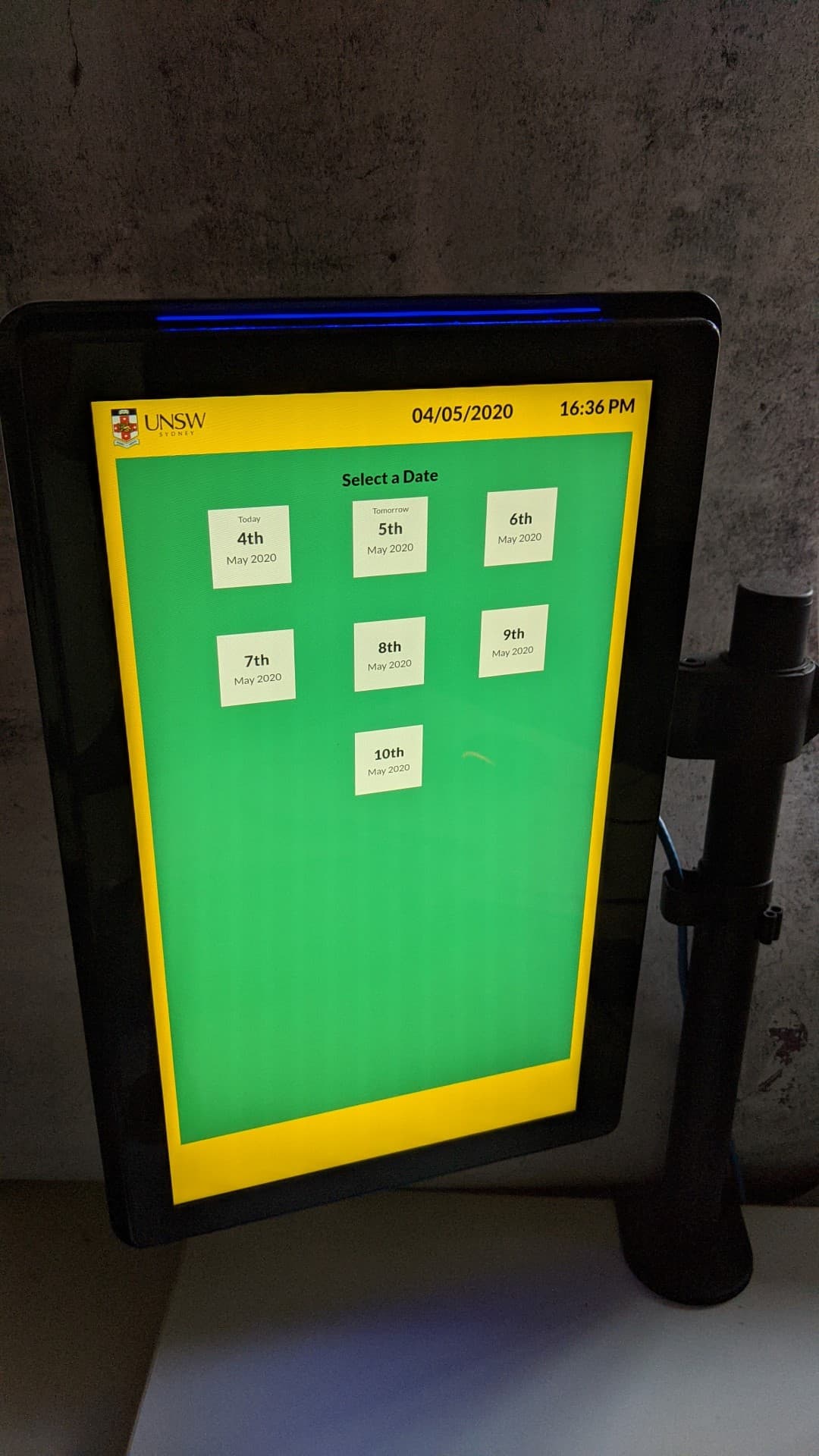
Custom web app to display room bookings

What we delivered
Advertise Me was engaged to provide a custom web application solution for the University of NSW (South Western Sydney Clinical School Medicine) that integrated with their existing EMS software (Event Management System). We custom built a web app that was compatible with the following devices: iOS Android and any web browser We even tested the solution on our Room Booking device that can be placed outside the room or at a reception desk. The system can also work on any interactive digital signage device.
The solution was planned around a practical digital workflow, giving users a clearer way to access information or complete tasks online.
Delivery checklist
- Delivered a web solution for UNSW Custom Web App
- Built a web based experience around the project requirements
- Structured pages, content, or workflows so they were easier to use
- Configured the experience for students, staff, visitors, and education stakeholders
- Supported ongoing management through a maintainable digital platform
- Supported a professional, easy to manage result for the client
Web solutions are most effective when they reduce manual work and make information easier to manage, access, or publish.
The challenge
The challenge was to translate the client workflow into a digital experience that users could understand and staff could manage.
The system needed to support practical day to day use while still presenting a professional experience for external or internal users.
The solution needed to suit the environment, be simple for people to understand, and give the client a practical way to manage information after the initial installation or launch.
Key requirements
- Clarity: Information needed to be easy to read, understand, and act on.
- Usability: The experience needed to feel straightforward for first time users.
- Flexibility: The setup needed to support current requirements while allowing room for future updates.
- Reliability: The solution needed to perform consistently in the live environment.
- Content control: The client needed a manageable way to keep content accurate.
Our approach
We focused on the information structure, user flow, and administrative requirements so the web solution could support the real business process.
The interface and content structure were shaped around the existing project requirements so the final experience felt purposeful and easy to follow.
How the experience worked
- Project context was reviewed: We considered the site, audience, content needs, and the role the solution needed to play.
- The experience was configured: Pages, forms, content structures, or workflow elements were configured for the project.
- Users engaged with the solution: Users could access the information or workflow through a clear online experience.
- The client retained control: The client had a more manageable way to update content or administer the workflow.
- The outcome was ready for everyday use: The final result supported clearer communication and a more professional experience.
From a user perspective, the experience needed to be clear, direct, and easy to trust.
| Project area | What it supported | Client value |
|---|---|---|
| Online experience | Pages, content, forms, or user workflows | Makes information and processes easier to access |
| Administration | Content or workflow management | Helps the client manage the solution after launch |
| Content management | Updates, changes, and ongoing content control | Helps the client keep information current without unnecessary friction |
Result and client value
The completed web solution gave the client a more structured and manageable digital workflow.
It also created a more polished experience for the people interacting with the content.
What worked well
- The workflow was moved into a clearer digital format
- The client had a more manageable online solution
- The content was presented in a clear and professional format
- The solution supported the needs of students, staff, visitors, and education stakeholders
- The project created a practical digital experience for the client
The value of the project came from combining the right digital touchpoint with content that was easy to manage and understand.
Portfolio recap
This portfolio project shows how a tailored web solution can improve access to information, workflow management, or online presentation.
- Service delivered: Custom Web App Integration
- Project focus: UNSW Custom Web App
- Industry: Education University
- Main benefit: A clearer and more manageable online workflow
- Client outcome: A tailored web solution aligned with the project requirements
It is a practical example of using digital tools to make information easier to access and manage.
Frequently Asked Questions
- What solution was delivered for UNSW Custom Web App? Advertise Me delivered a web solution designed around the needs of the project and the people using it.
- What problem did the project help solve? It helped convert information or workflow requirements into a clearer online experience.
- How did the solution support users? It gave students, staff, visitors, and education stakeholders a clearer way to access information, interact with content, or complete the intended task without relying on printed material or manual processes.
- What made the solution practical for the client? The web solution was structured so the client could manage content or workflow requirements after launch.
- What types of projects are suited to this approach? This approach suits organisations that need custom websites, web applications, online forms, workflow tools, or maintainable digital platforms.